The Best Tools to Automate a Business in 2026
A working stack organized by the job it does, with the honest limits of each and the order to buy in.
The best automation tool is the one that fits the specific task. For most businesses that means a combination rather than a single product: something to capture work, a workflow tool to move it between systems, and a small amount of custom glue where your rules do not fit anything off the shelf.
Roundups usually list forty tools and rank them, which helps nobody, because the tools are not competing with each other. A booking tool and a workflow tool solve different problems and you may well need both.
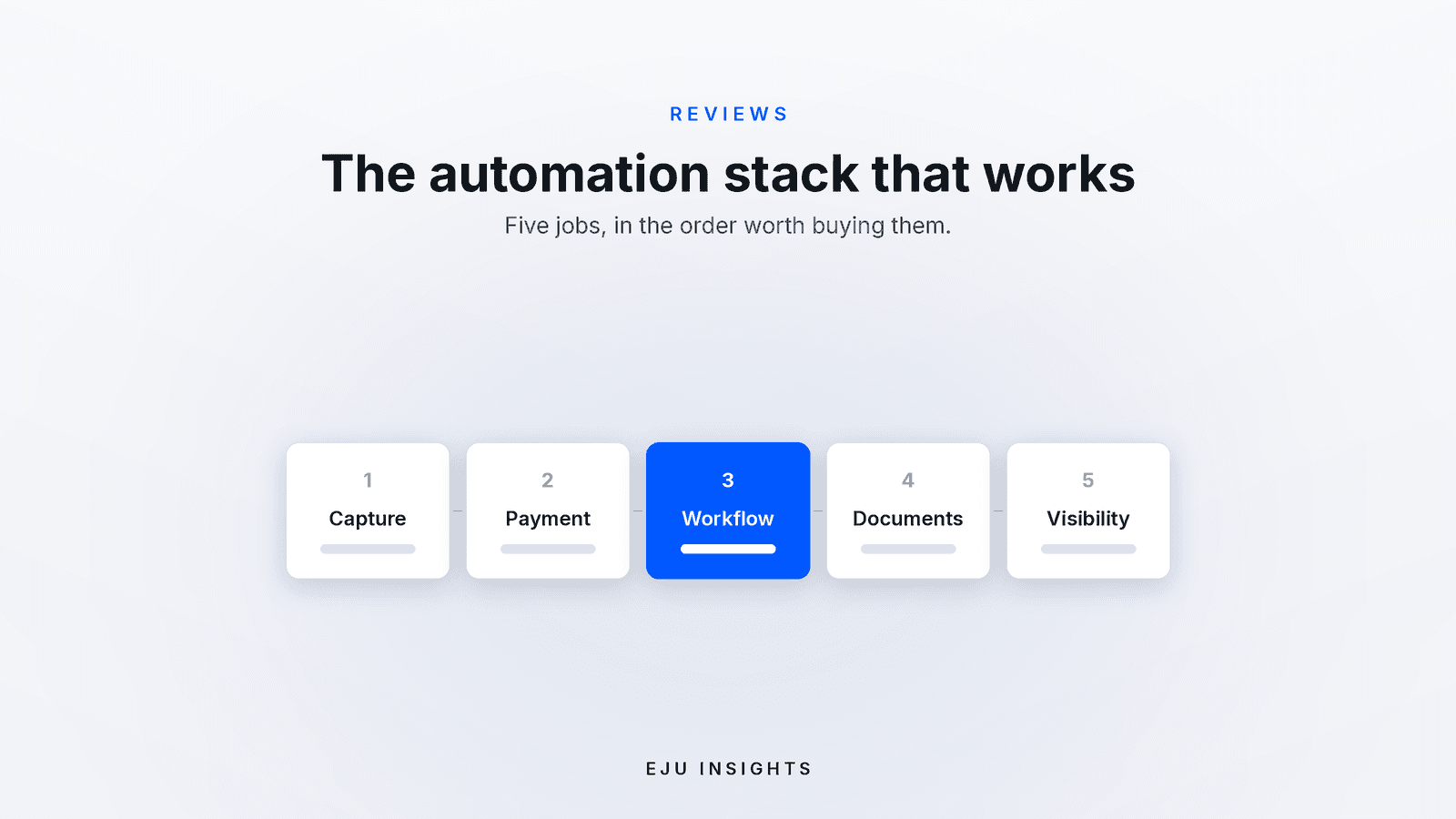
So this is organized by job. Five jobs, what to use for each, what each one is bad at, and the order to buy them in. Prices were checked in August 2026 and change often.
Job one: capture the work
Everything downstream depends on information arriving in a fixed shape. This is where most automation projects should start.
Google Forms is free with any account, has no response limits, and writes straight into a spreadsheet everyone already understands. It cannot collect payments at any tier, which is its main limitation.
Tally is free for unlimited forms, looks considerably better, and can collect payments through Stripe on the free plan with a commission on that tier. Good middle ground.
Typeform and Jotform cost more and are worth it only when the form is customer facing and the presentation genuinely affects conversion.
For bookings specifically, use a booking tool rather than a form, because only a booking tool can check availability. Calendly is the default, Cal.com is the open source alternative you can self host, and industry specific systems are usually better if you have staff, resources, and deposits to manage.
Job two: take the money
Stripe payment links have no monthly fee, so you pay only the processing charge, which in the United States is 2.9 percent plus 30 cents per successful card charge. Rates differ by country. For markets where cards are not the norm, use the local processor and attach proof of payment to the order.
The important decision is not the provider, it is whether you take payment or a deposit at the point of booking. That single choice removes more lost revenue than any tool on this page.
Job three: move data between systems
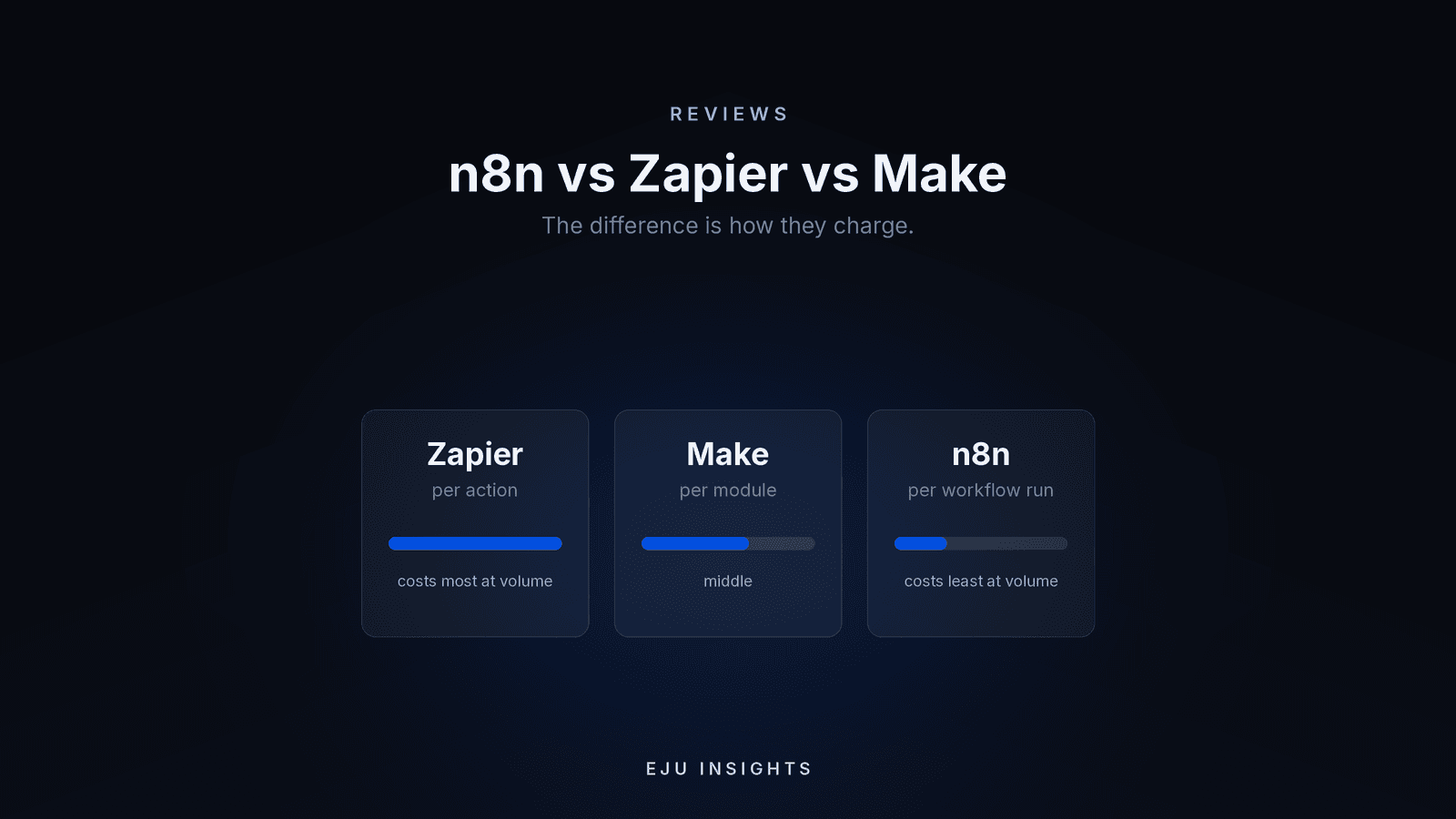
This is the category people mean when they say automation tools. Three serious options, and the difference is how they charge.
Zapier bills per action, starts around 20 dollars a month billed annually for 750 tasks, and has the largest app catalogue. Easiest to learn, most expensive at volume.
Make bills per module call, with paid plans starting near 9 to 12 dollars for 10,000 credits. Best capability per pound, and a visual canvas that handles branching well. Note that triggers and filters consume credits, so real usage runs higher than the step count suggests.
n8n bills per workflow execution, so a twenty step workflow costs the same as a two step one. Cloud plans start around 20 to 24 euros for 2,500 executions, and the self hosted community edition is free software if you can run a server.
We compare these three properly here, since the choice deserves more than a paragraph.
Job four: handle documents and repetitive text
This is where AI has become genuinely dependable. Reading invoices, delivery notes, and forms and writing the fields into your systems. Drafting replies and summarizing long threads. Transcribing calls into searchable notes.
The tool matters less than the setup. Whatever you use needs your real information behind it, a human reviewing output for the first few weeks, and a hard rule that it never states policy or prices it was not given. Treat any vendor promising unsupervised accuracy with suspicion.
Job five: see what is happening
Start with the spreadsheet your workflow tool already writes into. It is free and it is usually enough for the first year.
When one sheet is no longer enough, Looker Studio is free and connects to most common sources, and Metabase is open source if you would rather host it. The step after that is a small internal dashboard that reads from all your systems and shows the exceptions needing attention today, which is worth building only once the definitions of your numbers are settled.
What order should you buy in?
First, capture. A form or booking link that puts every request into the same shape. Cheap, immediate, and it makes everything after it possible.
Second, payment or deposit. One decision, large effect.
Third, notifications and handoffs. The workflow tool sending confirmations, reminders, and internal alerts so nothing depends on someone remembering.
Fourth, documents and drafting. Once the flow is stable, remove the retyping.
Fifth, visibility. Only once the data arriving is trustworthy. A dashboard built on unreliable inputs produces confident nonsense.
Businesses that go in reverse, starting with dashboards or AI before capture is fixed, spend the most and get the least.
What none of these tools fix
An undocumented process. If three people do the job differently, automation locks in the confusion permanently.
Bad data. Automation moves what it is given, faster.
Ownership. Every stack needs one person who knows what runs and what to do when it breaks. Unowned automations decay, and the failure is usually silent.
Logic that is genuinely yours. Pricing that depends on combinations, availability across several resources, approval chains, anything a customer sees directly. Off the shelf tools are excellent plumbing and poor foundations.
The quieter point
A good automation stack in 2026 is mostly ordinary products doing what they are good at, joined together carefully, with a small amount of custom logic where the business is genuinely different from everyone else.
That last part is the piece no tool sells, and it is usually smaller and cheaper than people expect. It is also the piece that decides whether the rest of the stack holds together.
Get the next one by email
Reporting, reviews, and guides on AI and automation, sent as they publish. No sequences.